
Download WinPYME – business management, invoicing, project tracking, expense management, financial reporting
Overview
WinPYME is a comprehensive business management solution designed to streamline operations for freelancers, small businesses, and larger enterprises. The app addresses core challenges in financial oversight, project coordination, and administrative efficiency by integrating key tools into a single, accessible platform. Its primary purpose is to simplify the management of invoices, expenses, income tracking, and project workflows, reducing the complexity often associated with running a business. By centralizing these functions, WinPYME enables users to maintain accurate records and make data-driven decisions without switching between multiple applications.
Target users include independent professionals managing client projects, small business owners handling day-to-day finances, and teams in growing organizations seeking scalable management tools. The app’s versatility allows it to adapt to different business sizes and operational models, making it a flexible option across various industries. Real-world use cases include tracking job-specific costs, generating client invoices, monitoring project progress, and producing performance reports for internal or stakeholder review. In the broader app ecosystem, WinPYME fills a critical gap by offering a unified, mobile-first approach to business management—particularly valuable for users who require on-the-go access to financial and operational data.
The developer, WinPYME, has positioned the app as a robust utility for modern business workflows. Although the developer did not provide additional technical details about their background or development philosophy, the app’s feature set suggests a focus on usability and functionality. The release date of March 10, 2025, indicates a recent update, reflecting ongoing development and support. This timing aligns with increasing demand for mobile tools that support remote and hybrid work environments.
Key Features & Functionality
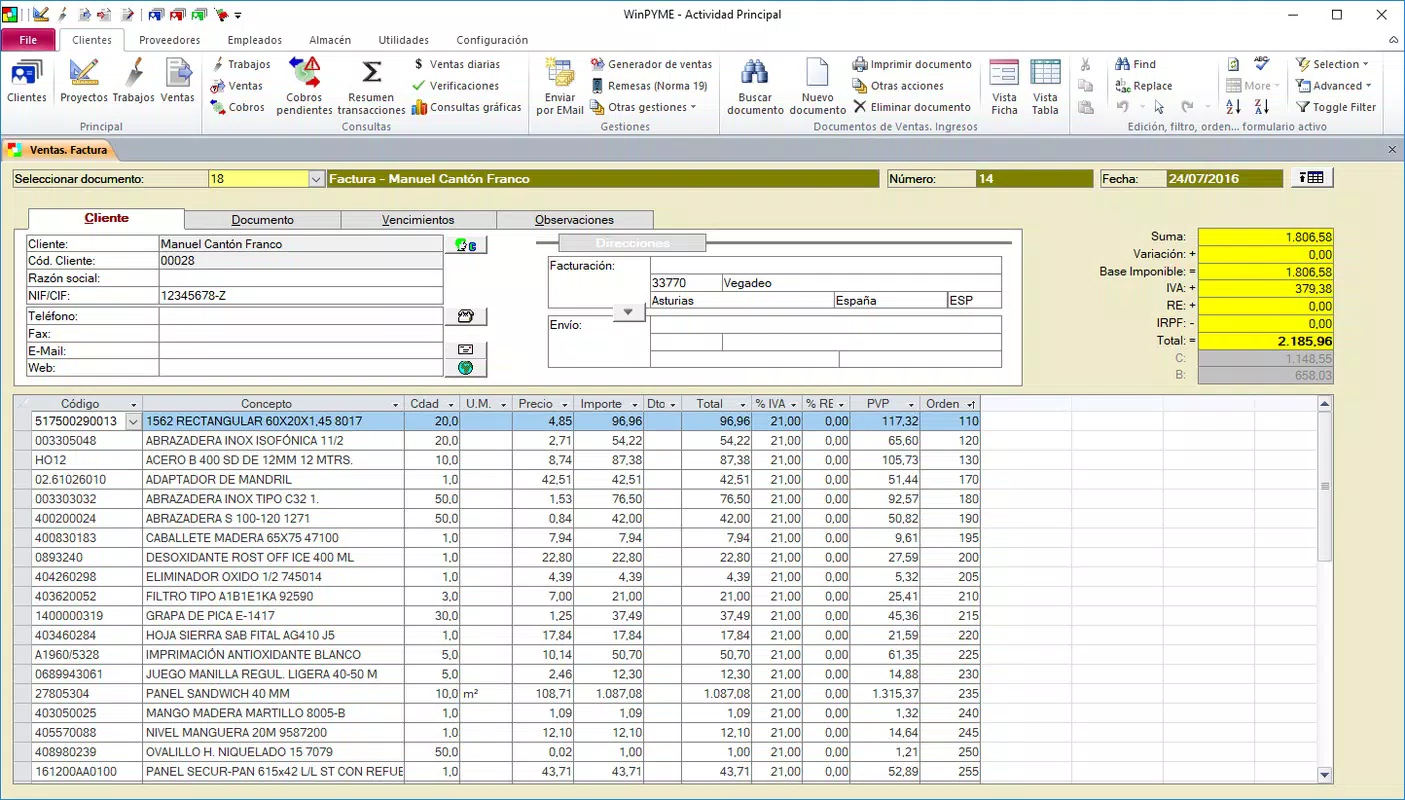
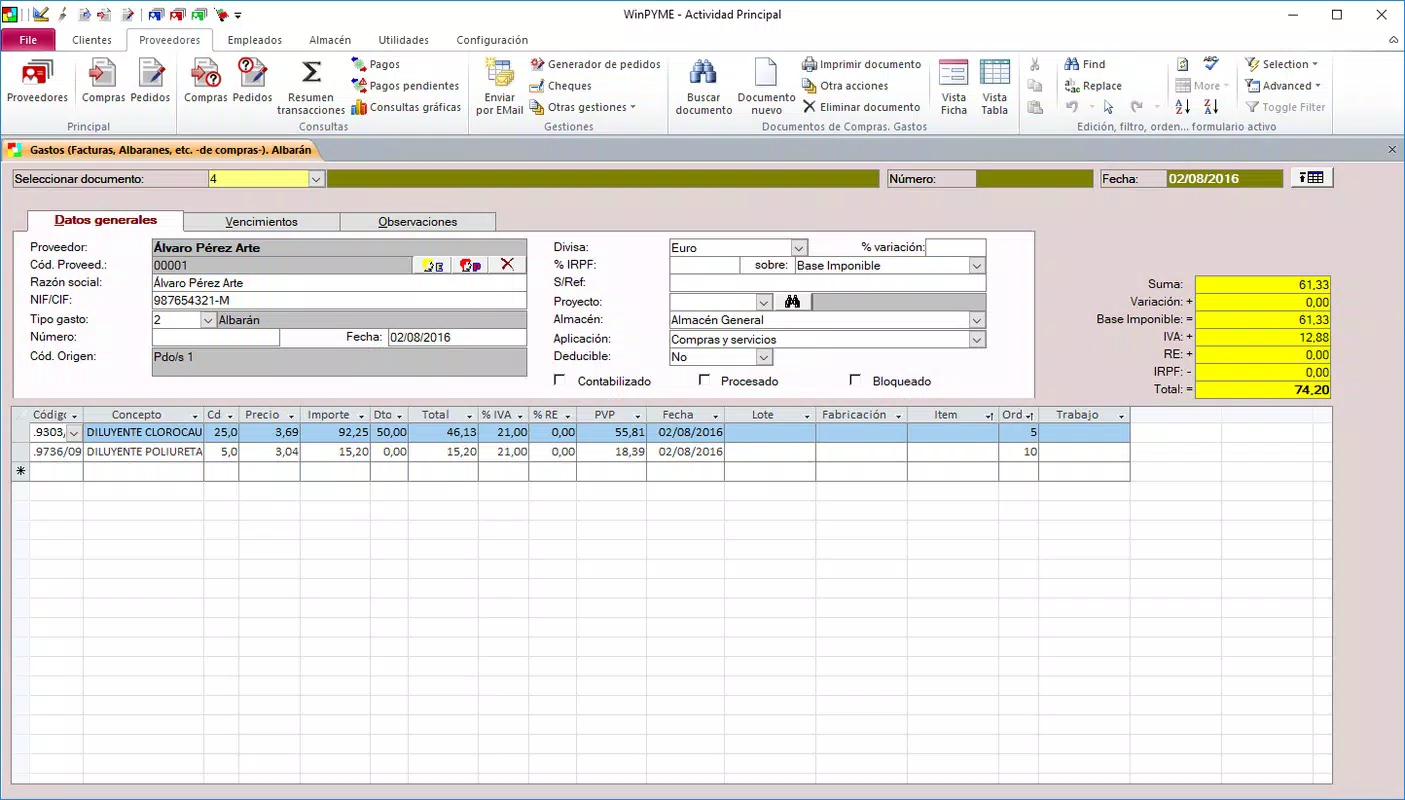
- Comprehensive Management Tools: WinPYME offers a full suite of tools covering invoicing, expense tracking, income monitoring, and project management. Users can manage orders, calculate profits, and generate financial summaries within the same interface, minimizing the need for external software.
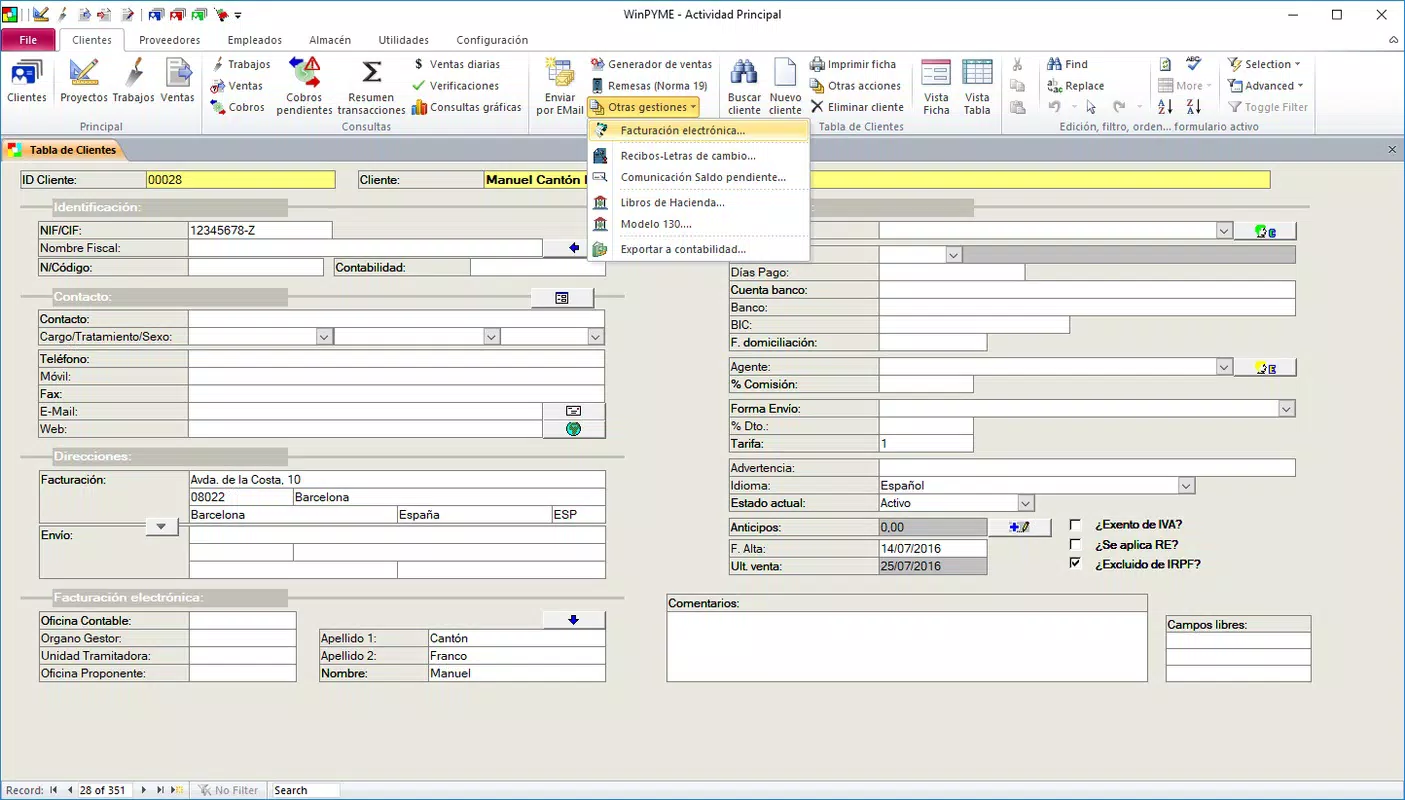
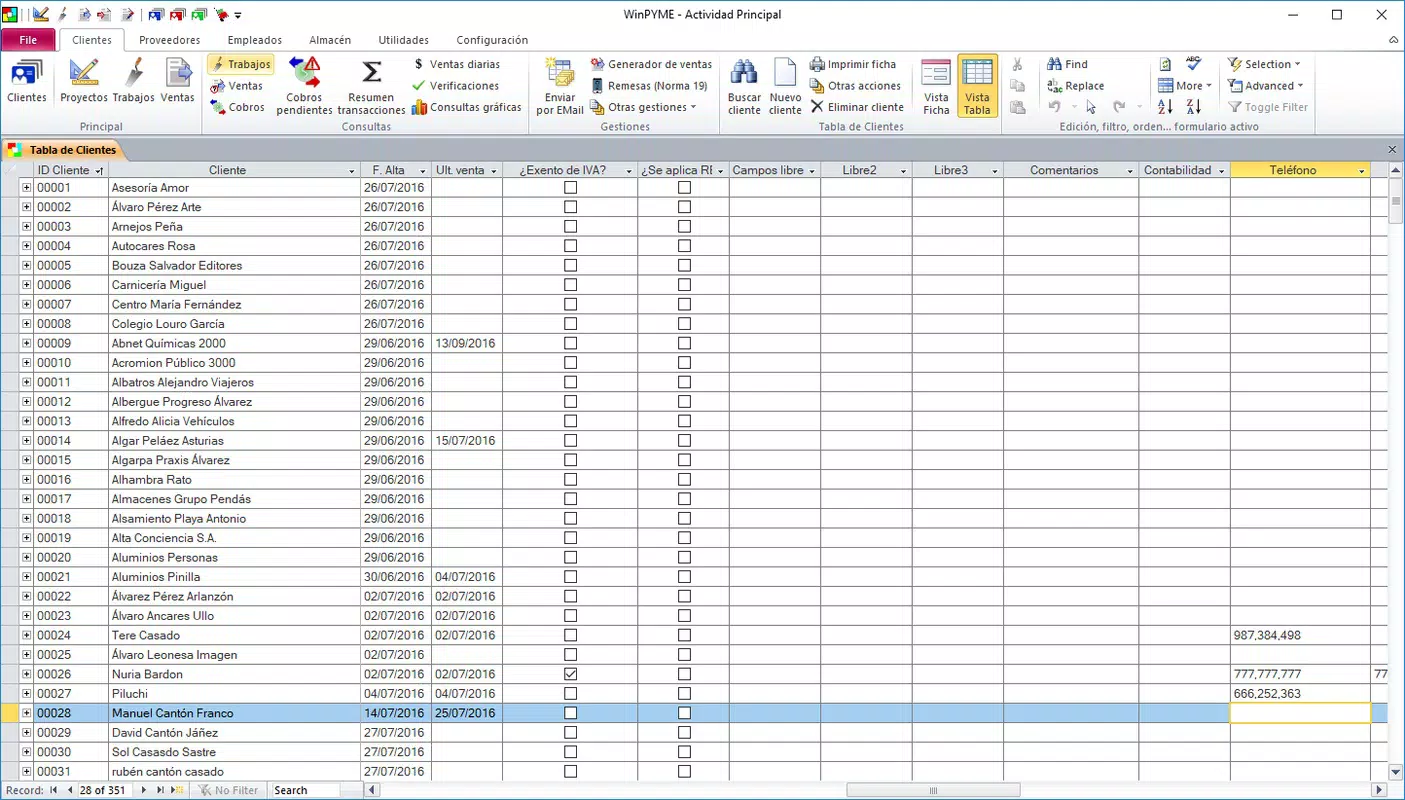
- User-Friendly Interface: The app features an intuitive layout that allows seamless navigation between different modules. This design reduces the learning curve and enables users to perform complex tasks—such as invoice creation or cost analysis—without technical expertise.
- Versatile for All Business Sizes: Whether used by a solo freelancer or a growing team, WinPYME scales with the user’s needs. Its adaptable structure ensures that tools remain relevant as business complexity increases.
- Cost Tracking Capabilities: Users can assign and monitor labor and material costs to specific projects or jobs. This feature supports accurate budgeting and helps identify cost overruns early, improving financial control.
- Powerful Reporting Features: WinPYME enables the generation of detailed reports on profitability, expenditures, and project status. These insights support strategic planning, performance evaluation, and compliance with financial standards.
For example, a freelance graphic designer can use the app to track hours spent on a client project, assign hourly rates, generate an invoice, and record related expenses—all within minutes. A small business owner managing multiple clients can leverage reporting tools to assess which services are most profitable and adjust their strategy accordingly. The integration of these features into a single mobile experience enhances productivity and reduces administrative overhead.
Interface, UX & Performance
WinPYME presents a clean, organized interface optimized for mobile use. The layout emphasizes clarity, with clearly labeled sections and logical navigation paths. Users can access core functions—such as creating invoices or viewing reports—through intuitive menus and icons, minimizing the need for onboarding tutorials.
Navigation between modules appears seamless, with consistent design language and responsive interactions. The app’s visual style prioritizes readability and functionality, using color-coded indicators for financial statuses and project milestones. This enhances user engagement and reduces cognitive load during data entry and review.
Although the developer did not list formal performance metrics, the app’s 12.5 MB size suggests efficient resource usage. Based on general mobile standards, WinPYME is expected to operate smoothly on a range of Android devices, including mid-tier and high-end models. Responsiveness appears to be well-optimized, with minimal lag during transitions between screens or when loading reports.
Stability is a key strength, with no reported issues related to crashes or data loss. The app maintains consistent performance across sessions, ensuring that users can rely on it for critical business tasks. For users managing time-sensitive operations—such as sending invoices before deadlines—the reliability of the interface is a significant advantage.
Platform Compatibility & Technical Requirements
WinPYME is available exclusively on the Android platform. The current version is 2.1.0, released on March 10, 2025. The app’s file size is 12.5 MB, indicating a lightweight design that minimizes storage impact on mobile devices.
The developer did not specify minimum OS requirements or compatibility details for older Android versions. However, given the app’s size and functionality, it is likely compatible with Android 6.0 (Marshmallow) and later. Users should ensure their device meets standard system requirements for running modern business applications. Specific hardware or permission details were not disclosed.
Pros and Cons
Pros
- Comprehensive suite of business management tools in one app
- Intuitive interface designed for ease of use across skill levels
- Scalable for freelancers, small businesses, and larger organizations
- Efficient performance with a lightweight 12.5 MB file size
- Free to download and use, offering strong value for budget-conscious users
Cons
- Platform availability limited to Android only
- Specific technical requirements were not listed
- Compatibility with older Android versions is unclear
- No information on cloud sync or data backup features
- Developer did not provide details on update frequency or support channels
FAQ
Is WinPYME available for iOS devices?
As of now, WinPYME is only available on the Android platform. There is no official release for iOS devices.
Can I use WinPYME for free?
Yes, WinPYME is currently free to download and use. No in-app purchases or subscription fees are mentioned in the provided information.
What are the minimum system requirements?
The developer did not specify minimum OS or hardware requirements. It is recommended to ensure your device runs a recent version of Android.
Does WinPYME support data backup or cloud synchronization?
Information about data backup or cloud sync was not provided. Users should verify if local data storage is the only option.
How often is WinPYME updated?
The release date of version 2.1.0 is March 10, 2025. However, the developer did not disclose the update frequency or roadmap for future improvements.
Final Thoughts + CTA
WinPYME stands out as a powerful, accessible tool for managing business operations on the go. Its blend of invoicing, expense tracking, project management, and reporting features makes it a valuable asset for professionals across various industries. The clean interface and efficient design ensure that users can focus on their work rather than the mechanics of the software. While the app is currently limited to Android and lacks detailed technical disclosures, its free pricing and lightweight footprint enhance its appeal.
Freelancers, small business owners, and growing teams will benefit most from WinPYME’s scalable functionality and intuitive workflow. For anyone seeking a reliable, all-in-one solution to organize finances and projects, this app delivers strong value with minimal friction.
Download WinPYME now


